CoordinateFrame
Specifies the coordinate frame for an entity.
If not specified, the coordinate frame uses an implicit frame derived from the entity path.
The implicit frame's name is tf#/your/entity/path and has an identity transform connection to its parent path.
To learn more about transforms see Spaces & Transforms in the reference.
Fields fields
Required required
frame:TransformFrameId
Can be shown in can-be-shown-in
API reference links api-reference-links
- 🌊 C++ API docs for
CoordinateFrame - 🐍 Python API docs for
CoordinateFrame - 🦀 Rust API docs for
CoordinateFrame
Examples examples
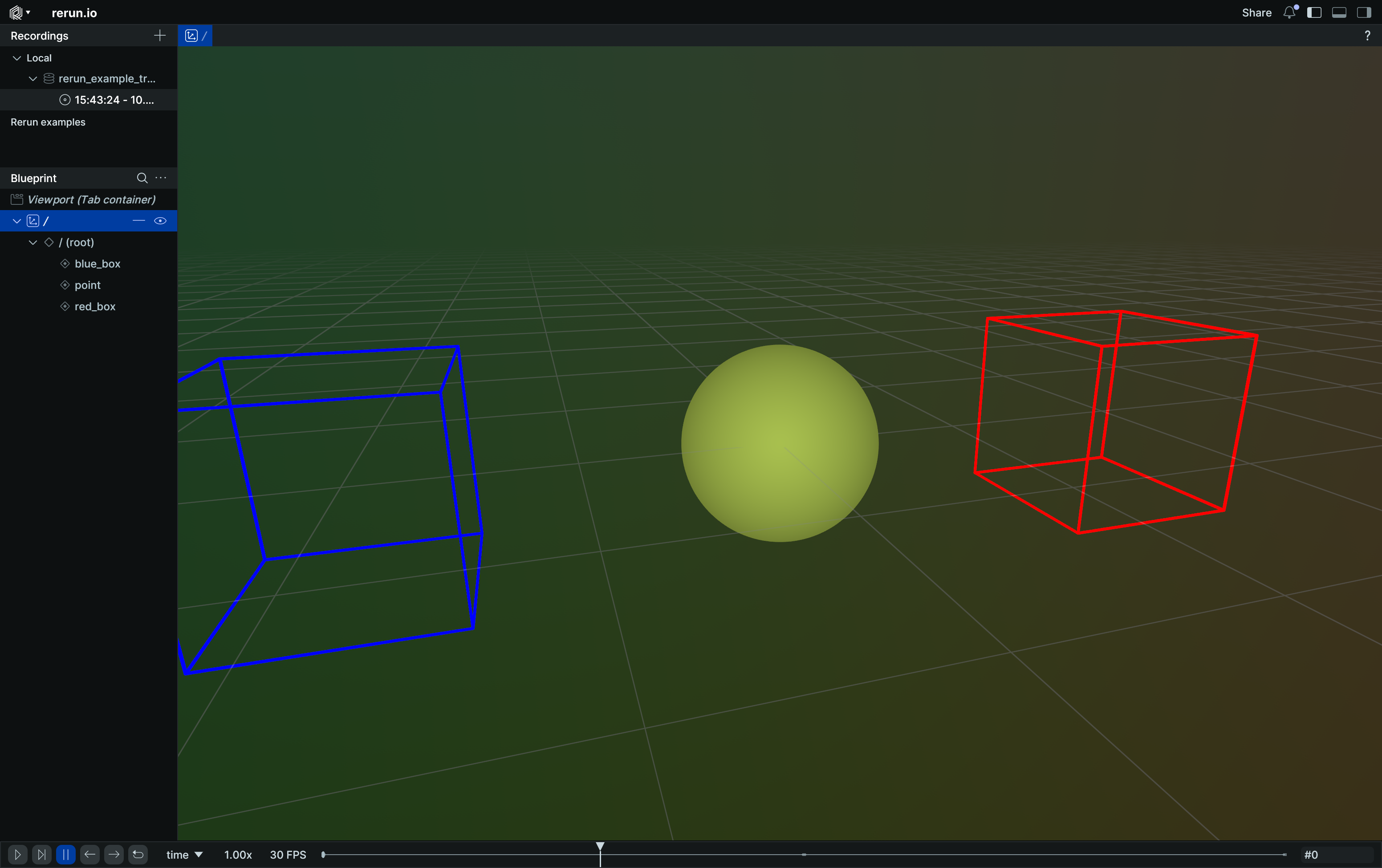
Change coordinate frame to different built-in frames change-coordinate-frame-to-different-builtin-frames
"""Demonstrates using explicit `CoordinateFrame` with implicit transform frames only."""

import rerun as rr

rr.init("rerun_example_transform3d_hierarchy", spawn=True)

rr.set_time("time", sequence=0)
rr.log(
    "red_box",
    rr.Boxes3D(half_sizes=[0.5, 0.5, 0.5], colors=[255, 0, 0]),
    # Use Transform3D to place the box, so we actually change the underlying coordinate frame and not just the box's pose.
    rr.Transform3D(translation=[2.0, 0.0, 0.0]),
)
rr.log(
    "blue_box",
    rr.Boxes3D(half_sizes=[0.5, 0.5, 0.5], colors=[0, 0, 255]),
    # Use Transform3D to place the box, so we actually change the underlying coordinate frame and not just the box's pose.
    rr.Transform3D(translation=[-2.0, 0.0, 0.0]),
)
rr.log("point", rr.Points3D([0.0, 0.0, 0.0], radii=0.5))

# Change where the point is located by cycling through its coordinate frame.
for t, frame_id in enumerate(["tf#/red_box", "tf#/blue_box"]):
    rr.set_time("time", sequence=t + 1)  # leave it untouched at t==0.
    rr.log("point", rr.CoordinateFrame(frame_id))
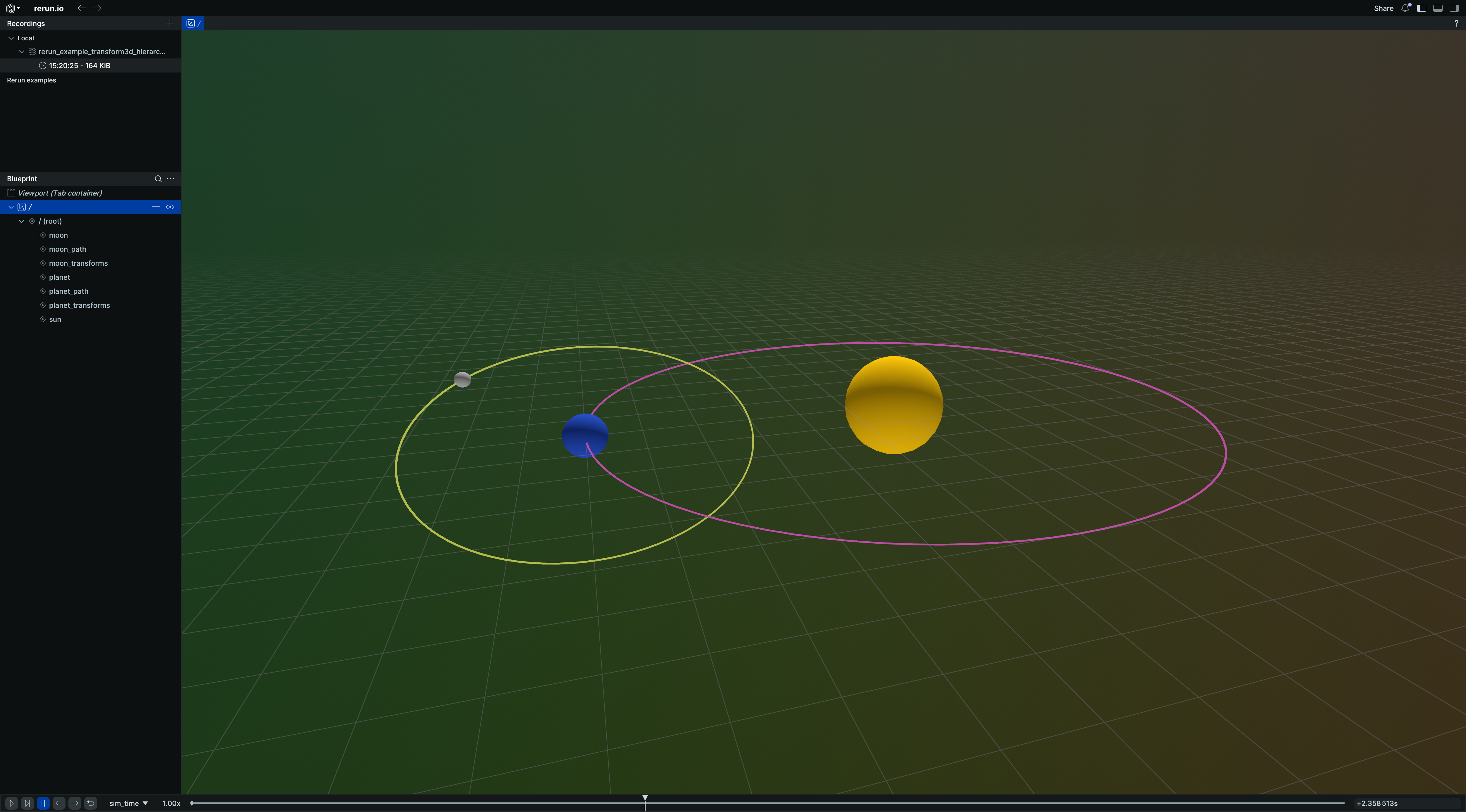
Transform hierarchy with explicit frames transform-hierarchy-with-explicit-frames
"""Logs a transform hierarchy using named transform frame relationships."""

import numpy as np
import rerun as rr

rr.init("rerun_example_transform3d_hierarchy_frames", spawn=True)

rr.set_time("sim_time", duration=0)

# Planetary motion is typically in the XY plane.
rr.log("/", rr.ViewCoordinates.RIGHT_HAND_Z_UP, static=True)

# Setup spheres, all are in the center of their own space:
rr.log(
    "sun",
    rr.Ellipsoids3D(
        centers=[0, 0, 0],
        half_sizes=[1, 1, 1],
        colors=[255, 200, 10],
        fill_mode="solid",
    ),
    rr.CoordinateFrame("sun_frame"),
)

rr.log(
    "planet",
    rr.Ellipsoids3D(
        centers=[0, 0, 0],
        half_sizes=[0.4, 0.4, 0.4],
        colors=[40, 80, 200],
        fill_mode="solid",
    ),
    rr.CoordinateFrame("planet_frame"),
)

rr.log(
    "moon",
    rr.Ellipsoids3D(
        centers=[0, 0, 0],
        half_sizes=[0.15, 0.15, 0.15],
        colors=[180, 180, 180],
        fill_mode="solid",
    ),
    rr.CoordinateFrame("moon_frame"),
)

# The viewer automatically creates a 3D view at `/`. To connect it to our transform hierarchy, we set its coordinate frame
# to `sun_frame` as well. Alternatively, we could also set a blueprint that makes `/sun` the space origin.
rr.log("/", rr.CoordinateFrame("sun_frame"))

# Draw fixed paths where the planet & moon move.
d_planet = 6.0
d_moon = 3.0
angles = np.arange(0.0, 1.01, 0.01) * np.pi * 2
circle = np.array([np.sin(angles), np.cos(angles), angles * 0.0], dtype=np.float32).transpose()
rr.log("planet_path", rr.LineStrips3D(circle * d_planet), rr.CoordinateFrame("sun_frame"))
rr.log("moon_path", rr.LineStrips3D(circle * d_moon), rr.CoordinateFrame("planet_frame"))

# Movement via transforms.
for i in range(6 * 120):
    time = i / 120.0
    rr.set_time("sim_time", duration=time)
    r_moon = time * 5.0
    r_planet = time * 2.0

    rr.log(
        "planet_transforms",
        rr.Transform3D(
            translation=[np.sin(r_planet) * d_planet, np.cos(r_planet) * d_planet, 0.0],
            rotation=rr.RotationAxisAngle(axis=(1, 0, 0), degrees=20),
            child_frame="planet_frame",
            parent_frame="sun_frame",
        ),
    )
    rr.log(
        "moon_transforms",
        rr.Transform3D(
            translation=[np.cos(r_moon) * d_moon, np.sin(r_moon) * d_moon, 0.0],
            relation=rr.TransformRelation.ChildFromParent,
            child_frame="moon_frame",
            parent_frame="planet_frame",
        ),
    )